VaR (Value-at-Risk)
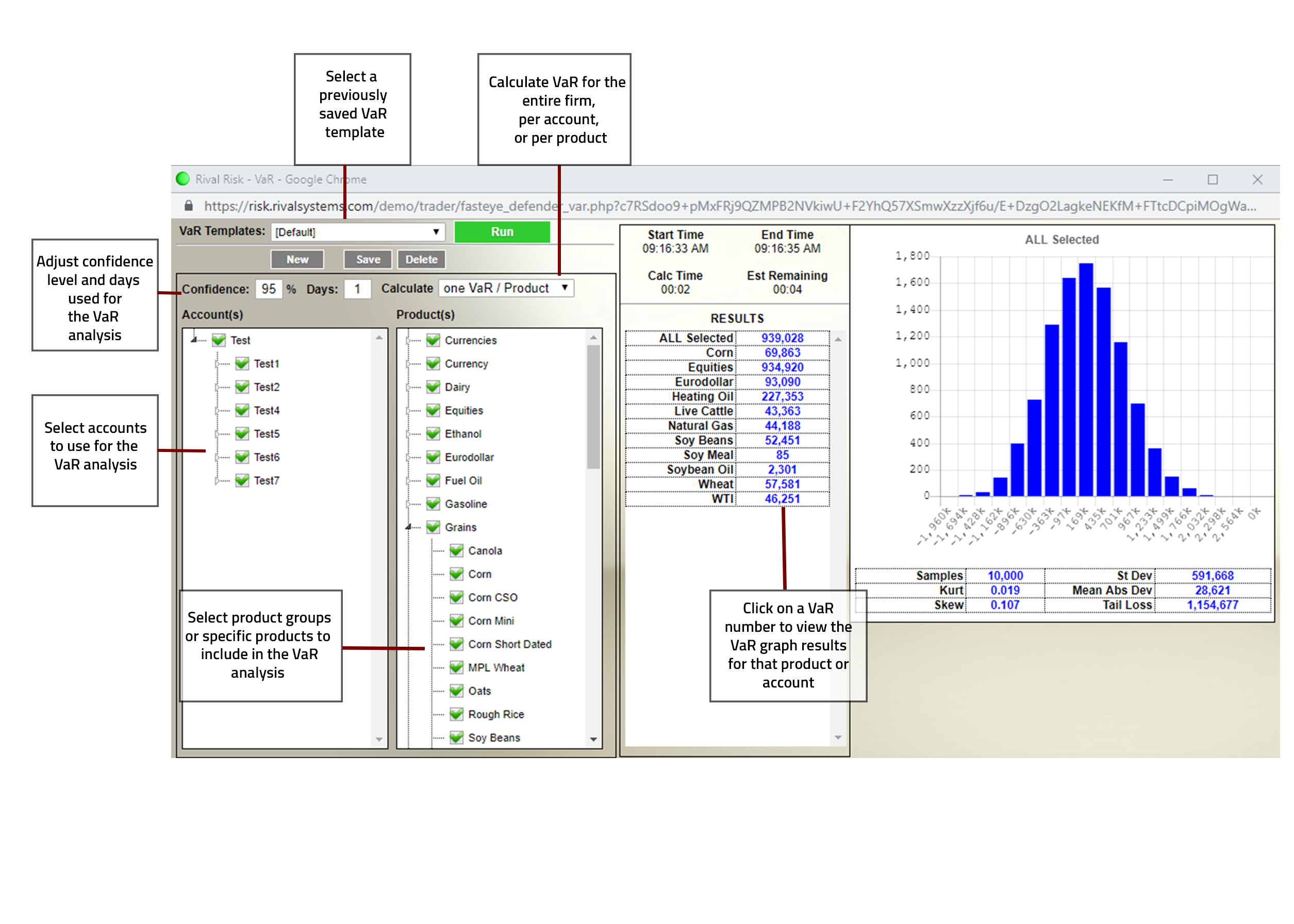
VaR is a powerful Value-at-Risk scenario builder. The VaR is customizable not only in terms of confidence interval and time, but can be run with respect to accounts, product groups, and specific products. Much like other Rival Risk tools, VaR offers template creation to recall saved scenarios.
Rival VaR calculates the Value at Risk of a portfolio. Value at Risk is considered to be the loss that would be obtained at a specified percentile (usually 95% or 99%) in the expected distribution of gains/losses over a given time span (usually 1 day for trading, 20 days for banks).
Rival VaR calculates the loss using a Monte Carlo simulation. Monte Carlo generates a large sample of price movements fitting the expected distribution for the ""underlying"" product prices, given a specified time frame and volatilities for the underlying products. In generating the prices, it takes into account correlations between products.
For each simulation trial, it generates random prices for each underlying product, conforming to each product's price distribution, and building in correlations among products. Using those prices, it calculates the gains/losses for each product and its derivatives, summing them up to the portfolio level. After running all of the sample trials (currently doing 10,000), the 95% worst loss is found, which is the VaR result.
Our VaR also calculates other statistics -- mean, standard deviation, skew, and kurtosis, and Expected Tail loss -- the average value of losses in the sample tail worse than the 95% point. Options prices are modeled using algorithms derived from Black-Scholes, depending on the option characteristics.
VaR Templates
VaR templates provide a way to save a unique combination of parameters for use with the VaR feature.
Available parameters
Confidence -- confidence level to be used (in % terms)
Days -- # of days to be used
Calculate -- define the level for the VaR calculation
Single VaR for all -- calculate VaR based on the aggregate positions across all accounts and products selected
One VaR per account -- calculate VaR based on the positions within each individual account across the products selected
One VaR per product -- calculate VaR for each product category separately based on the aggregate position for all accounts selected
Accounts -- select specific accounts to be included in the template
Products -- select specific products to be included in the template
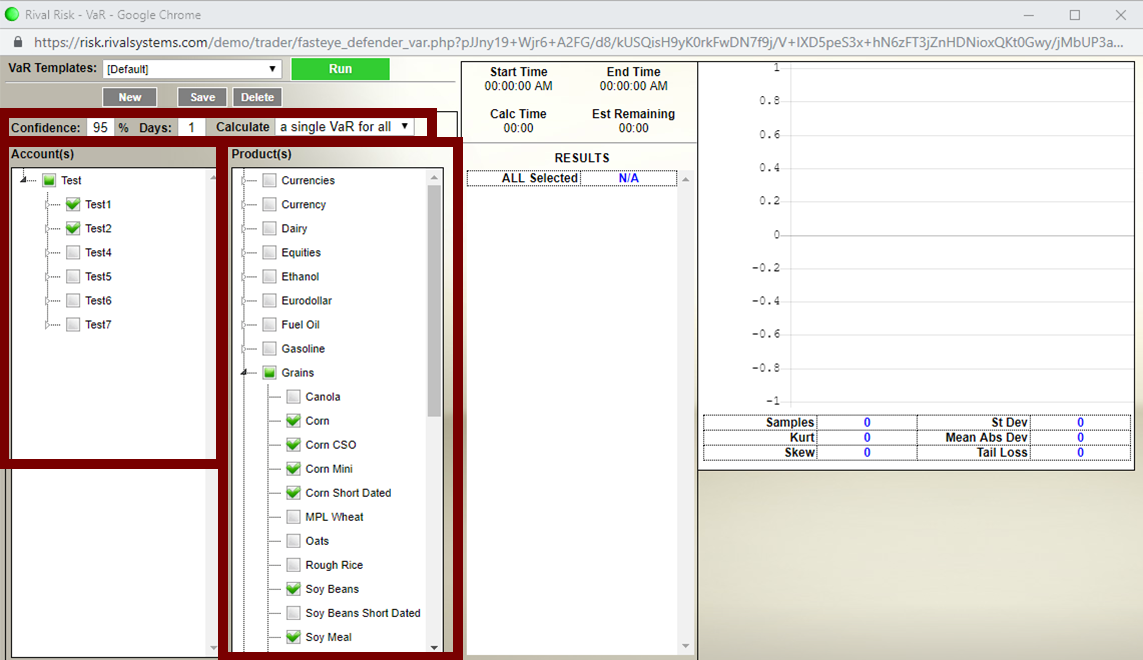
To create and save a VaR template first enter the desired Confidence, Days and calculation level (Calculate), then check the boxes for Accounts and Products to be included.
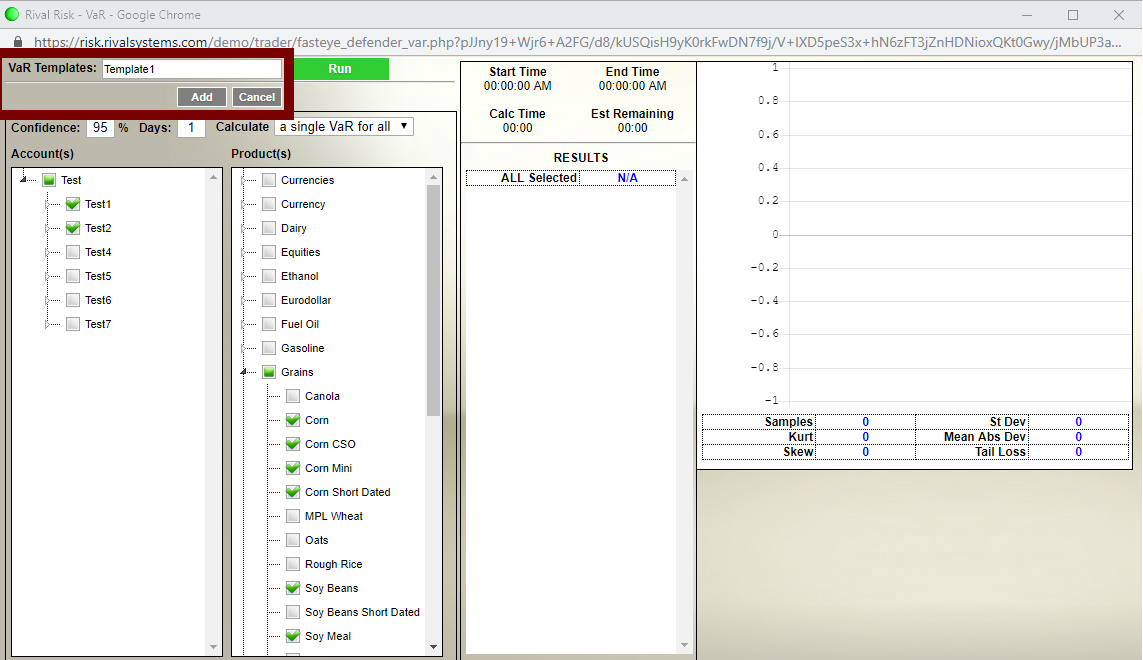
Click New, enter a name for the template, click Add and then click Save
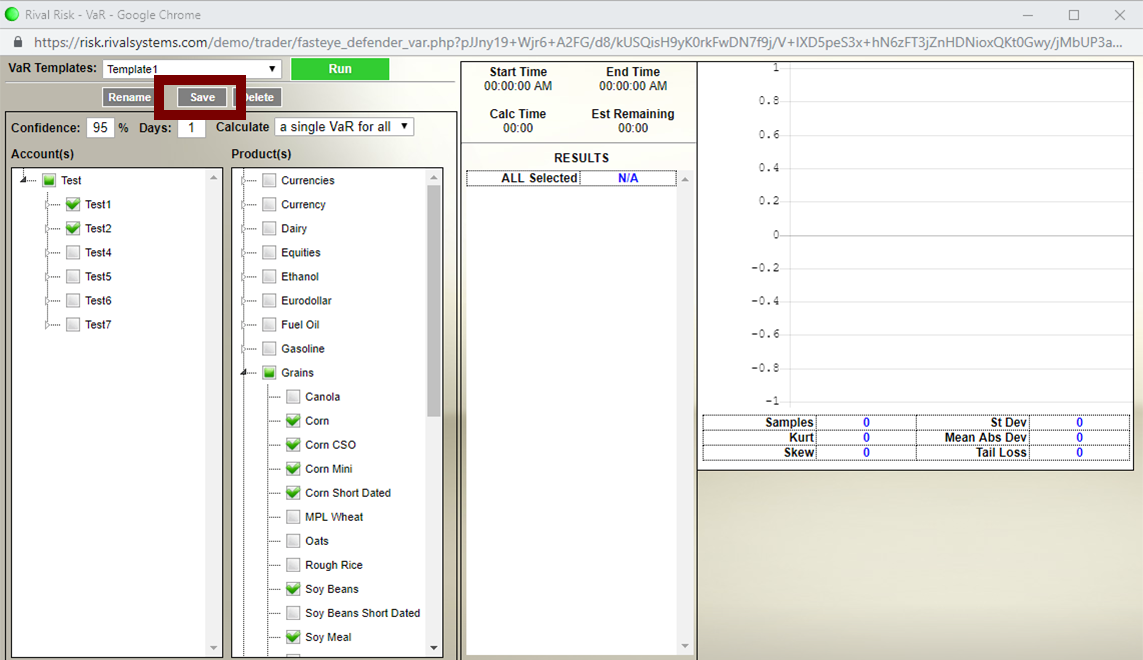
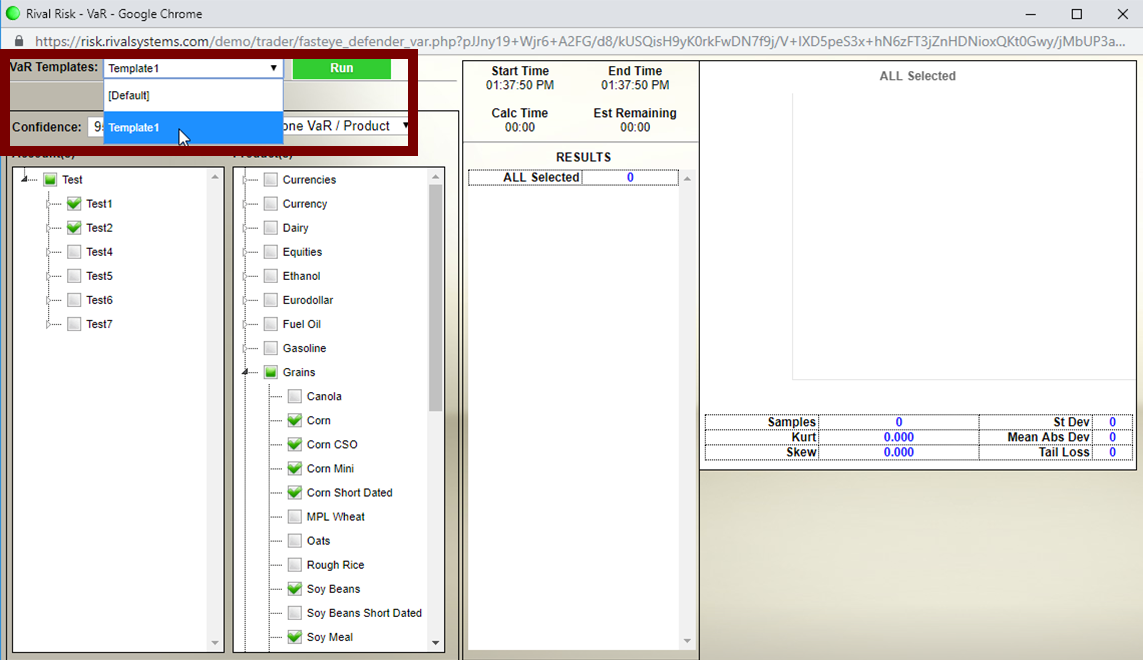
The new template will be available from the VaR Templates dropdown menu. Select a template and Click Run to calculate VaR using the template parameters: